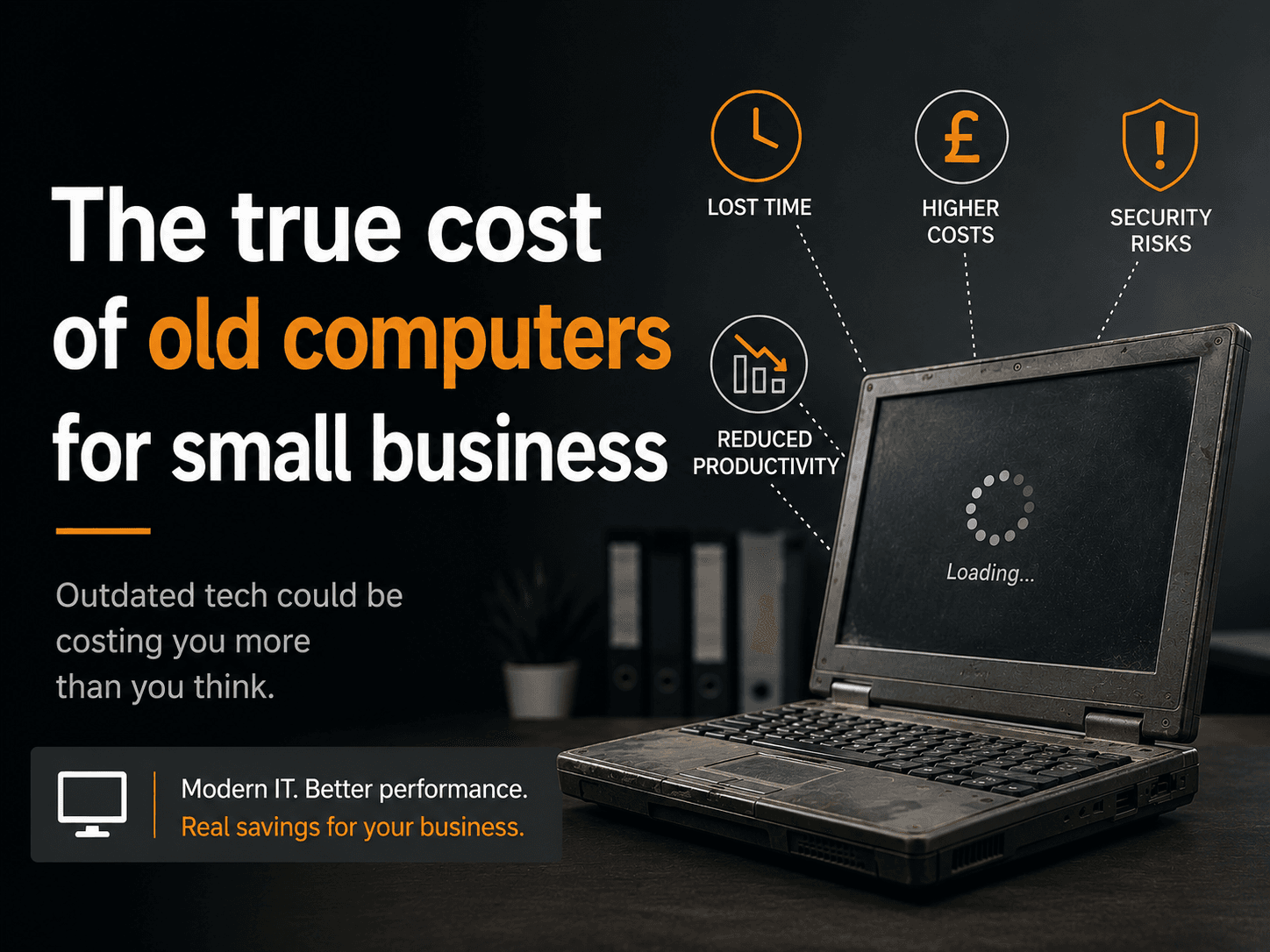
UK small businesses lose nearly £300,000 a year to technology problems, according to a Samsung UK survey of 1,000 SMEs published in March 2025. The true cost of old computers for small businesses runs far deeper than the hardware price. The price tag on the machine is the smallest part of what it costs to keep one running. The real costs are invisible: lost hours, broken systems, frustrated staff, security breaches, and compliance failures that most owners never connect to the machine sitting on the desk. This article puts numbers on all of them.
Key Takeaways
- Old computers cost far more to run than to replace. Gartner research shows the hardware purchase price is less than 20% of a PC’s total cost of ownership over its life.
- Employees using PCs older than three years are approximately 13% less productive, costing around $7,800 per user per year in opportunity cost terms (J. Gold Associates/Intel, 3,297 businesses, 16 countries).
- PCs aged four years or older generate 112 hours of lost productivity per user per year and are 2.7 times more likely to need repairs (Techaisle/Microsoft-Intel via ScalePad, 2024).
- A 15-person UK business running 4-5-year-old machines faces estimated annual losses of around £36,500 from productivity loss, downtime, repairs, and energy costs combined.
- Workers with outdated technology are 450% more likely to want to leave their job than colleagues at technology-leading firms (Unisys, 12,000+ workers, 12 countries).
- The average UK SMB PC refresh cycle has stretched to 5.2 years (IDC via MedhaCloud, 2026), well past the 3-4 year threshold where costs begin escalating sharply.
What Does “Old” Mean for a Business Computer?
A business computer becomes “old” in cost terms well before it stops working. Industry data consistently points to the 3-4 year mark as the threshold at which performance degradation, repair frequency, security vulnerabilities, and total cost of ownership all begin to rise sharply. The average UK SMB now replaces computers every 5.2 years, significantly past that threshold (IDC via MedhaCloud, 2026).
The refresh cycle has been lengthening, not shortening. In 2020, the average SMB replaced machines every 4.1 years. By 2026, that has stretched to 5.2 years. That one extra year of delay represents a substantial accumulation of avoidable cost.
The 3-year marker is where the first warning signs appear. A J. Gold Associates/Intel study of 3,297 businesses across 16 countries found that employees on 3-year-old PCs are around 13% less productive than those on newer machines.
By year four, the data gets sharper. Techaisle/Microsoft-Intel research found that PCs four years or older generate 112 hours of lost productivity per user per year and are 2.7 times more likely to need repairs than newer machines. That is not a slow decline. It is a cliff.
There is a compounding factor many UK businesses are currently ignoring: Windows 10 reached end of life in October 2025. Any machine still running Windows 10 without Extended Security Updates is now running an operating system with known, unpatched vulnerabilities. See our Windows 10 End of Life guide for what this means in practice.
Underneath all of this sits a figure from Gartner research: the hardware purchase price represents less than 20% of a PC’s total cost of ownership over its life. The other 80% accumulates silently in lost time, repair bills, energy consumption, security incidents, and downtime. Most SMB owners only see the 20%.
How Much Productivity Do Old Computers Actually Steal?
The productivity cost of old computers is the largest single hidden cost, and the easiest to underestimate. Employees on 3-year-old PCs are roughly 13% less productive. On 4-year-old machines, they lose 112 hours of productive time per year, equivalent to almost three full working weeks, sitting silently on every payslip (Techaisle/Microsoft-Intel via ScalePad, 2024).
Citation Capsule: Employees using PCs aged four years or older lose 112 hours of productive time per user per year, according to Techaisle/Microsoft-Intel research published via ScalePad (2024). At the UK median office and administrative salary of approximately £26,000 per year (ONS ASHE 2025), that equates to around £1,493 per employee per year in lost productive time before a single repair bill is counted.
Those 112 hours break down to roughly 2.15 hours per week. That is the time each employee spends waiting for slow machines to respond, restarting after crashes, or working around frozen applications. It rarely appears on any report. It just disappears from the working day.
At the UK median office and administrative salary of around £26,000 (ONS ASHE, 2025), 112 lost hours amounts to approximately £1,493 per employee per year in wasted wage cost.
Calculation: For a business with 15 employees on 4-year-old PCs: 15 multiplied by £1,493 equals £22,395 per year in lost productive time. That calculation uses only the productivity loss figure. It excludes repair bills, security incidents, and downtime entirely. And yet it already exceeds the purchase cost of 15 new mid-range business laptops.
The J. Gold Associates/Intel study puts the full opportunity cost even higher: employees on 3-year-old machines are roughly 13% less productive, which the study calculated at approximately $7,800 per user per year across the 3,297 SMBs surveyed in 16 countries.
The Samsung UK survey from March 2025 (1,000 UK SMEs) found that UK small businesses collectively spend 286 million hours per year contacting IT support for help with technology problems. That figure alone signals a systemic problem, not isolated incidents.
30% of employees cite slow or outdated hardware as the number one barrier to their work efficiency (TeamStage, 2024). That is not a minority frustration. It is a majority experience most employers are not measuring.
Year 1-2 (New PC)
Year 3
Year 4+ (Old PC)
0
25
50
75
100+
Hours Lost Per Year~0 hrs
~50 hrs
112 hrs
Source: Techaisle/Microsoft-Intel via ScalePad (2024) | At UK median salary of £26,000/yr, 112 hrs = £1,493 per employee
Why Do Repair and Maintenance Costs Spiral with Age?
The repair bill on an ageing computer doesn’t grow linearly; it accelerates. Lazorpoint analysis of business hardware lifecycle data shows maintenance costs rise 148% by a PC’s fifth year compared with year one, and up to 300% by year seven. At that point, you are spending far more on maintaining old hardware than you would spend replacing it.
Citation Capsule: Business PC maintenance costs rise 148% by year five and up to 300% by year seven compared to year one costs, according to Lazorpoint hardware lifecycle analysis. Techaisle/Microsoft-Intel research corroborates this trajectory: PCs aged four years or older are 2.7 times more likely to require repairs than newer machines (ScalePad, 2024).
Most business PC warranties last 3 years. The moment a machine moves outside that window, every component failure comes directly out of your own budget. That is precisely when the cost curve bends upward.
The Samsung UK survey (March 2025, 1,000 SMEs) found that UK small business owners spend an average of £3,200 per year on IT repairs and updates. That figure covers the business as a whole, not per machine. But for a business running old hardware, a single motherboard failure or hard drive replacement can easily cost £200-£400 in parts and labour alone.
Gartner research clearly frames this: the hardware purchase price accounts for less than 20% of a PC’s total cost of ownership. More than 80% of the costs arrive after the sale, through support, maintenance, downtime, and lost productivity. Most SMB owners focus their attention on the 20% they can see at the point of purchase.
Is your repair spend tracking upward year on year? That pattern is almost always a sign that the machines are past their cost-effective life. Our repair or replace decision guide walks through the specific calculation.
Cost of
Ownership
Hardware purchase: 20%
Lost productivity: 45%
IT support & maintenance: 20%
Downtime & security: 15%
Source: Gartner via Stratodesk (2024). Hardware is less than 20% of the total PC cost of ownership.
What Does IT Downtime Actually Cost a UK Small Business?
IT downtime (when computers, systems, or connections fail) costs UK small businesses a measurable amount every time it happens. Global research from Datto puts the average cost of unplanned IT downtime for SMBs at $8,662 per hour. UK businesses lost £3.7 billion to connectivity and system failures in 2023, with SMEs averaging 19 hours of downtime per year (Beaming/Censuswide, 2024).
Citation Capsule: UK small and medium-sized businesses averaged 19 hours of IT downtime per year across three to four incidents in 2023, contributing to a total national loss of £3.7 billion (Beaming/Censuswide, 2024). At the Datto-reported average SMB downtime cost of $8,662 per hour, 19 hours of annual downtime represents a potential annual exposure of over $164,000 per affected business.
At 19 hours per year and $8,662 per hour, the potential annual downtime exposure for a single UK SMB exceeds $164,000. Not every incident will hit that average. But the trajectory is clear: the more incidents, the closer you get to that figure.
Beaming’s 2024 research focused specifically on connectivity failures. Hardware failures from ageing machines add a separate layer of risk. An old hard drive fails without warning. A failing component can take the whole machine offline for hours or days while it is repaired or replaced.
The recovery picture is not reassuring either. UK Government Cyber Breaches Survey 2025 data shows that 92% of UK businesses take more than 24 hours to recover from a significant outage. For a 5-person business, that is effectively a lost working day for the entire team.
Every old PC is a potential single point of failure. And every single point of failure is a downtime event waiting to happen.
Windows 10’s end of life in October 2025 adds another downtime risk: security incidents triggered by unpatched vulnerabilities in systems that are no longer receiving updates. Our Windows 10 End of Life guide covers the specific risks and options available.
How Do Old Computers Drive Your Best Employees Out the Door?
The connection between old computers and staff turnover is direct and measurable. Workers who use outdated technology are 450% more likely to want to leave their job than colleagues at technology-leading firms (Unisys, survey of 12,000+ workers across 12 countries). In a tight UK labour market, that is not an HR statistic. It is a recruitment and retention crisis.
Citation Capsule: Employees at organisations that provide outdated technology are 450% more likely to want to quit and 750% more likely to report frustration than peers at technology-leading firms, according to a Unisys survey of more than 12,000 workers across 12 countries. A separate Freshworks/Censuswide survey of 6,698 employees found 91% frustrated by workplace technology, with 49% reporting it causes stress and 48% saying it negatively affects their mental health.
The Unisys figures are striking, but they align with what a Freshworks/Censuswide survey of 6,698 employees found: 91% are frustrated by their workplace technology, 49% say it causes stress, and 48% say it negatively affects their mental health.
A TalkTalk Business survey found that 48% of UK workers waste more than three hours per day on inefficient systems, costing businesses up to £28,000 per year in wasted staff time.
The financial consequences of staff turnover are well established. CIPD research puts the average cost of replacing an employee in the UK at between 20-30% of their annual salary. For a £26,000 administrative role, that is £5,200-£7,800 per leaver. If old computers are contributing to even one additional resignation per year, the cost has already exceeded what a hardware refresh would have cost.
Insight: Most SMB owners attribute staff turnover to pay or culture. They rarely audit technology satisfaction as a contributing factor. But when 91% of employees report frustration with their tools, the signal is already present. The question is whether the business is measuring it. Our guide on how old IT equipment costs you your best employees goes deeper on this connection.
Beyond retention, there is a competitiveness dimension. Startups Magazine UK reports that 75% of UK SMEs struggle to innovate because of outdated technology, and 22% feel they are actively falling behind their competitors as a result.
What Is the Security Cost You Haven’t Paid Yet?
Old computers carry a security cost that hasn’t arrived yet, but will. 43% of cyberattacks target small businesses, yet only 14% of SMBs are adequately prepared (ConnectWise/NinjaOne via Total Assure). When a breach does hit, 60% of small businesses that suffer a significant cyberattack close within six months. The connection to old hardware is direct: outdated systems are the most common attack vector.
Citation Capsule: Ransomware was involved in 88% of SMB breaches in 2025 (Verizon 2025 DBIR, via Small Enterprise Technology, 2026). The median time for attackers to exploit a disclosed vulnerability is just five days (Verizon 2024 DBIR), while organisations typically take 55 days to patch 50% of critical vulnerabilities. That 50-day window is the exposure that unpatched or end-of-life systems create.
The numbers on exploitation are sobering. Attackers exploit disclosed vulnerabilities within a median of five days of disclosure. Organisations typically take 55 days to patch 50% of their critical vulnerabilities (Verizon 2024 DBIR). That gap is where old, unpatched machines sit.
Over 60% of successful ransomware attacks exploit unpatched or end-of-life software (CyberMaxx, 2025). If you are running Windows 10 without Extended Security Updates, your machines now fall into that category. Support ended in October 2025. Known vulnerabilities are being disclosed daily. None are being patched by Microsoft for standard licences.
Cyber insurers are responding to this reality. The Hiscox Cyber Readiness Report 2024 notes that insurers are increasingly denying claims where end-of-life software was present at the time of a breach. Running Windows 10 beyond its support date does not just create a security risk. It may also void your cyber insurance.
The financial exposure from a breach is not recoverable for most small businesses. The 60% closure rate within six months of a significant cyberattack is one of the most cited statistics in SMB security. For most businesses, the breach cost is existential.
Read more in our guide on whether old software voids your cyber insurance and the 7 cybersecurity risks of outdated hardware.
What Are the Compliance and Disposal Costs Most Owners Miss?
Two compliance costs rarely feature in total cost of ownership discussions: the legal liability of running unsupported software, and the regulated cost of disposing of old hardware. Both are real, both are quantifiable, and both can result in fines that dwarf the original cost of a computer replacement (INPLP/ICO).
The ICO has previously taken enforcement action against businesses running unsupported operating systems, treating them as a failure to implement “appropriate technical measures” under UK GDPR Article 32. Fines under modern GDPR can reach £17.5 million or 4% of global annual turnover, whichever is higher.
Cyber Essentials, which is mandatory for UK government contracts, requires that all software be supported and patched. Any business pursuing public sector work with machines running Windows 10 beyond its support date will fail Cyber Essentials assessment.
PCI DSS 4.0.1 is equally unambiguous. An end-of-life operating system in a cardholder data environment is an automatic compliance failure (PCI Security Standards Council, 2024). If you process card payments on machines that are past their software support date, you are likely non-compliant.
On disposal: WEEE regulations require all UK businesses to dispose of IT equipment via licensed waste carriers. Non-compliance carries unlimited fines. Disposal costs range from £30-£100 per small collection (Innovent Recycling, 2025), though many licensed collectors accept working equipment under three years old for free or at no charge.
The GDPR risk from improper disposal is the larger concern. A hard drive disposed of without secure data wiping (containing employee records, client data, or financial information) is a notifiable data breach. The potential fine is up to £17.5 million.
Insight: Most SMBs focus on the cost of replacing old computers. Almost none factor in the regulatory cost of not replacing them. Unsupported software creates legal liability under UK GDPR, Cyber Essentials, and PCI DSS simultaneously. That is a structural gap in how most IT replacement decisions get made.
What Does Your Old IT Setup Actually Cost? A UK Worked Example
The clearest way to understand the true cost of old computers is to run the numbers for a real small business. Below is a worked example for a 15-person UK business where all machines are 4-5 years old. Every figure uses verified published data. The total may surprise you (Samsung UK survey, 2025).
Calculation: This table consolidates the per-employee and per-business figures cited throughout this article into a single annual cost view for a 15-person team running 4-5 year old hardware.
| Cost Category | Annual Cost (15-person team) | Source |
|---|---|---|
| Lost productivity (112 hrs x £13.33/hr x 15 staff) | £22,395 | Techaisle/Microsoft-Intel; ONS ASHE 2025 |
| IT repairs and maintenance | £3,200 | Samsung UK survey, 2025 |
| Energy premium (old PCs use 50-140W more power) | ~£900 | Ofgem Q2 2026 rates; C-Lec Electrical |
| Downtime losses (19 hrs/yr x prorated cost) | ~£5,000 | Beaming 2024; Datto |
| Staff turnover risk (one leaver at 20-30% of £26k salary) | £5,200-£7,800 | Industry estimates |
| Conservative total | ~£36,500/year |
This is a deliberately conservative estimate. It excludes security incident costs, which for many SMBs would be catastrophic rather than recoverable. It excludes compliance fines. It excludes the opportunity cost of failing to innovate while competitors on newer hardware move faster.
The Samsung UK survey puts the broader average across all technology problems at nearly £300,000 per year for UK SMBs. Our worked example captures the hardware-specific slice.
Consider the comparison. A mid-range business laptop costs £700-£900 based on current UK retail pricing from Dell, HP, and Lenovo (TrendForce, December 2025). Spread across three years, that is £233-£300 per machine per year. The annual running cost of the old machine (using only the productivity loss figure) is more than five times higher than the annualised cost of a replacement.
Lost productivity
Downtime losses
Staff turnover risk
IT repairs
Energy premium
Total (conservative)£22,395
£5,000
£6,500
£3,200
£900
~£36,500
£0
£19,000
£38,000
Source: Techaisle/Microsoft-Intel; Samsung UK (2025); ONS ASHE 2025; Beaming (2024); Ofgem Q2 2026
When Should You Replace Your Business Computers?
The industry consensus is clear: replace business computers at the 3-4 year mark, before the cost escalation begins. Most businesses wait until machines break. The data shows that computers are already costing you money, through lost hours, rising repair bills, and growing security risk, long before they actually fail (IDC via MedhaCloud, 2026).
The three-year mark is the planning point, not the replacement deadline. At three years, performance decline begins and productivity loss starts accumulating. This is the moment to audit hardware and identify which machines to prioritise.
By year four, the calculation changes. Repair frequency doubles, productivity losses reach 112 hours per user per year, energy inefficiency compounds, and security vulnerability grows. Machines still running Windows 10 at this age are now also operating without security updates. The cost of waiting becomes measurable in pounds.
The reality for most UK SMBs is a 5.2-year average refresh cycle. That means most businesses are absorbing years of avoidable cost before they act. See our guide on signs your business computers need replacing for the specific indicators.
There are several routes to an upgrade, and buying outright is not the only one. An in-place Windows 11 upgrade is free for compatible hardware. New PC purchase is the most straightforward option for incompatible machines. Microsoft 365 Business Premium bundles software licencing with security features. Hardware as a service spreads the cost as a monthly subscription, avoiding large capital outlay.
One timing consideration worth noting: TrendForce reported in December 2025 that Dell raised commercial PC prices by 15-20% from December 2025, with Lenovo following in January 2026. Every month of delay in a rising-price environment makes the eventual upgrade cost higher, not lower.
Yr 1
Yr 2
Yr 3
Yr 4
Yr 5
Yr 6
Yr 7
PC Age (Years)
£0
£5k
£10k
£15k
Cumulative Cost (£)
Running costs (cumulative)
Hardware purchase (£900, one-off)
Source: Gartner 80/20 TCO rule; Lazorpoint repair cost analysis; Techaisle productivity data
What Should You Do This Week?
The first step is to know what you are running. Most small businesses have no centralised record of their hardware ages. A simple audit (checking the purchase date and Windows version on each machine) takes less than an hour and immediately tells you which computers are already costing you more than they are worth (IDC via MedhaCloud, 2026).
Here are five concrete steps you can take right now.
1. Audit your hardware. Check the purchase date and Windows version on each machine. On Windows: Settings, then System, then About. The manufacturer date is listed under Device specifications. Note any machine showing Windows 10.
2. Calculate your exposure. Use the worked example above as a template. Multiply your employee count by £1,493 to get an approximate annual productivity loss figure for machines aged four years or older. For five employees on old hardware, that is £7,465 per year in wasted wage cost alone.
3. Identify Windows 10 machines. Any device still running Windows 10 without Extended Security Updates is a security liability and a compliance risk right now. Our Windows 10 End of Life guide covers your options in plain English, including which machines can upgrade to Windows 11 for free.
4. Get a hardware refresh plan in place. You do not need to replace everything at once. Knowing which machines to prioritise means you can spread the cost sensibly. Our IT hardware refresh cycle guide explains how to approach the planning.
5. Talk to an IT adviser. If you have five or more machines that are four years old or older, the cost of a professional hardware assessment is almost certainly less than the annual cost you are currently absorbing. A one-hour conversation can tell you exactly where the priorities are.
Not sure where to start? Read our guide on the signs your business computers need replacing for the specific indicators to look for.
Frequently Asked Questions
How much does an old computer cost a small business per year?
A 4-year-old PC costs approximately £1,493 per employee per year in lost productivity alone, based on Techaisle/Microsoft-Intel data and ONS UK median earnings (ASHE 2025). Add repair costs, downtime losses, and energy premium, and the total per machine for a typical UK SMB exceeds £2,500 per year, several times the annualised cost of a replacement.
How old is too old for a business computer?
Research consistently points to 3-4 years as the threshold where costs begin rising sharply. At 3 years, productivity decline starts. At 4 years, repair frequency is 2.7 times higher and lost productive time reaches 112 hours per user per year (Techaisle/Microsoft-Intel via ScalePad, 2024). Most UK SMBs wait until 5.2 years, well past the optimal replacement window (IDC via MedhaCloud, 2026).
Is it cheaper to repair or replace a business computer?
For most machines over four years old, replacement is cheaper when you account for total cost of ownership. Hardware purchase price is less than 20% of a PC’s lifetime cost (Gartner via Stratodesk). Repair bills on older machines escalate 148% by year five and up to 300% by year seven compared with year one (Lazorpoint). Our repair or replace guide has the full calculation.
How do old computers affect employee productivity?
Significantly. Employees using PCs older than three years are approximately 13% less productive (J. Gold Associates/Intel, 3,297 SMBs, 16 countries). On machines four years or older, each employee loses roughly 112 hours of productive time per year, nearly three full working weeks sitting invisibly on your payroll cost. Workers are also 450% more likely to want to quit (Unisys).
What is the security risk of running old computers?
Old computers running unsupported software are the primary ransomware target. Ransomware was involved in 88% of SMB breaches in 2025 (Verizon 2025 DBIR). Attackers exploit known vulnerabilities within five days of disclosure (Verizon 2024 DBIR), while businesses typically take 55 days to patch them. That gap is where unpatched old machines sit. 60% of SMBs close within six months of a significant cyberattack.
Do I need to follow any rules when getting rid of old computers?
Yes. UK businesses must dispose of IT equipment via licensed waste carriers under WEEE regulations (GOV.UK). Failure carries unlimited fines. Data must be securely wiped before disposal. Improper disposal that exposes personal data is a notifiable breach under UK GDPR, with fines up to £17.5 million. Many licensed collectors offer free collection for working equipment.
How do I calculate the cost of my old computers?
Start with productivity: multiply each employee’s hourly rate by 112 (the annual hours lost on 4-year-old PCs per Techaisle/Microsoft-Intel). Add your annual repair spend, estimate 19 hours of downtime per year (Beaming, 2024), and add an energy premium of approximately £60-£109 per machine per year. The worked example above shows a 15-person business losing approximately £36,500 per year.
Written by Warren Lloyd, IT consultant and founder of Ilkley IT Services, advising small businesses across West Yorkshire on IT strategy, cybersecurity, and managed technology. If you are concerned your hardware is costing more than it should, contact us for a free IT health check.