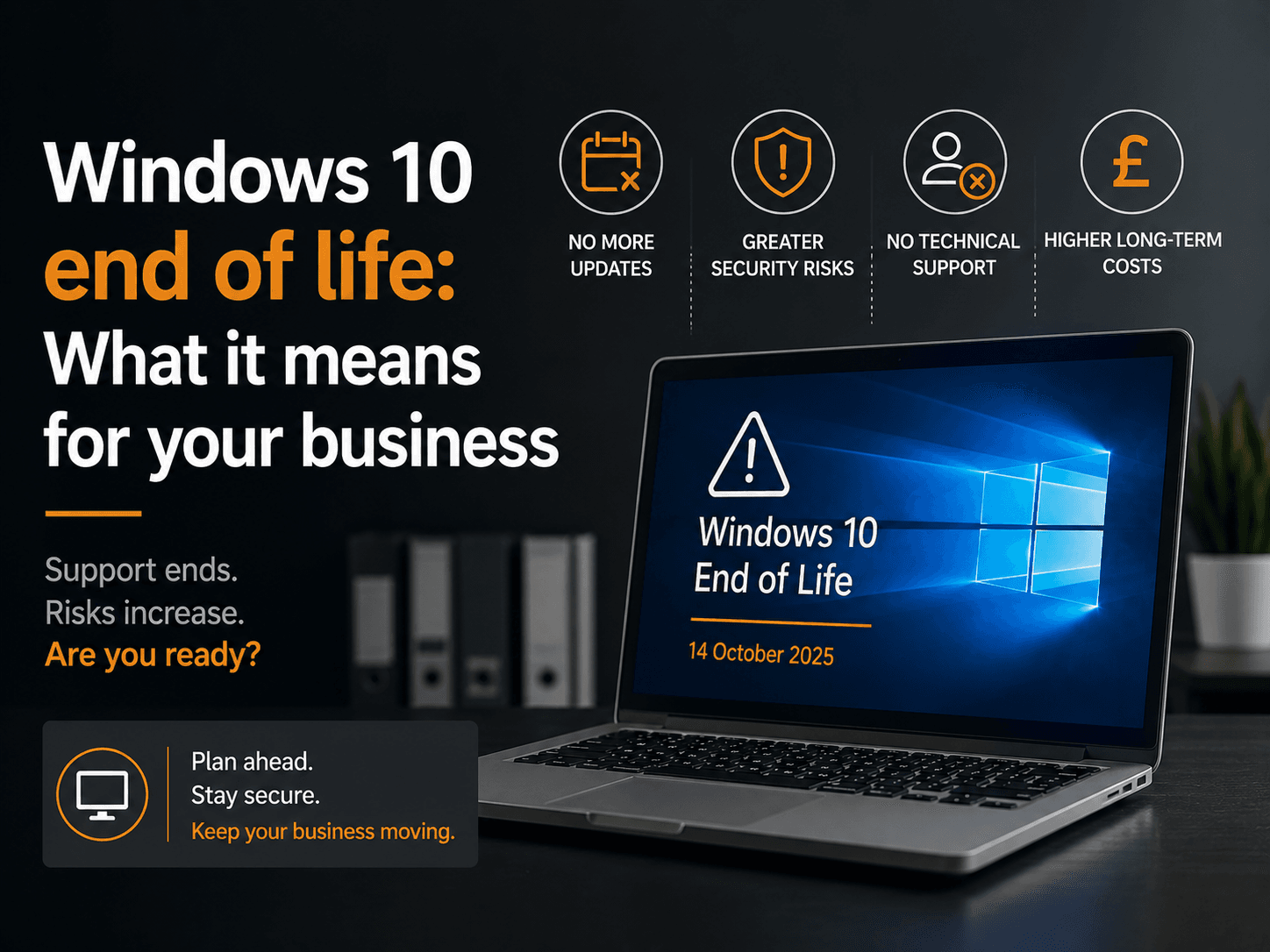
Microsoft ended Windows 10 support on 14 October 2025. As of December 2025, 44.68% of Windows desktops globally still run Windows 10, including approximately 21 million UK users. Every one of those machines is now running an operating system Microsoft will never patch again. This is not a future risk. It is a present-day exposure that grows more dangerous with every passing week.
If you’re concerned about broader IT costs, see our guide on the true cost of old computers for small business.
Key Takeaways
– Windows 10 support officially ended on 14 October 2025. No more security patches, ever.
– 44.68% of Windows desktops globally still run Windows 10, including roughly 21 million UK users (Statcounter via The Register, 2025)
– Running an unsupported OS risks ICO fines under UK GDPR, PCI DSS audit failures, and voided cyber insurance
– Extended Security Updates cost £61/device in Year 1, doubling each year, and they end permanently in October 2028
– At least 240 million Windows 10 PCs worldwide cannot meet Windows 11 hardware requirements and will need replacing
What Has Actually Changed Since October 2025?
Windows 10 support ended on 14 October 2025, meaning Microsoft no longer issues security patches, bug fixes, or technical support for the operating system. Any vulnerability discovered after that date will never be fixed on an unprotected Windows 10 machine. Attackers already know this, and they are actively looking for targets.
To be clear: end of life does not switch your PC off. Windows 10 keeps running. What stops is Microsoft’s commitment to plug security holes. Every new vulnerability that surfaces becomes a permanent weakness in your system.
That weakness is already being exploited. In October 2025, Microsoft patched CVE-2025-29824, a zero-day flaw in the Windows Common Log File System, actively exploited by a ransomware group called Storm-2460 (CrowdStrike, October 2025). That patch was issued right at the EOL window. Future vulnerabilities of the same severity will receive no patch at all.
What makes this harder to ignore is the scale. You might expect Windows 10 usage to be falling sharply after EOL. It isn’t. Usage actually rose from 41.7% in October 2025 to 44.68% in December 2025, as some users rolled back from Windows 11. That is a larger attack surface than Microsoft had at EOL, not a smaller one.
We’ve Seen This Before, and It Was Ugly
The Windows 7 end-of-life in January 2020 is the clearest warning for Windows 10 users. Within months, WannaCry ransomware had infected 200,000 devices across 150 countries, 98% of them running Windows 7 (Europol EC3, 2017). Estimated losses ran into the billions. The NHS alone faced £92 million in damages and lost appointments, according to a National Audit Office report.
The FBI publicly warned that Windows 7 had become “an easy target” for criminal organisations following end of support (FBI via BleepingComputer, 2020). It wasn’t a theoretical warning. Exploitation increased month on month.
The market share data tells the same story. Windows 7 held 35% market share at EOL in January 2020, dropping to 17% just twelve months later (SecurityWeek, January 2020). That halving didn’t happen because businesses made a calm, planned decision. It happened because exploits multiplied and businesses were forced to act in a hurry, often at greater cost.
Windows 10’s trajectory will follow the same pattern. The question isn’t whether attacks will increase; it’s whether your business will be caught in the wave.
Insight: The Windows 7 precedent shows something most businesses miss: the most dangerous period isn’t the first few months after EOL, it’s the six to eighteen months that follow, when attacker toolkits have matured and the pool of unpatched targets is still large. Businesses that delay now face the worst window of exposure.
What Are the Compliance Risks for UK Businesses?
Running an unsupported operating system isn’t just a security risk; it’s a potential legal liability. The ICO has already ruled in enforcement cases that unsupported operating systems constitute “inadequate security” under Article 32 of UK GDPR. Both Cathay Pacific and DSG Retail were each fined £500,000 for running unsupported software (INPLP/ICO, 2020). Under modern UK GDPR, fines can reach £17.5 million or 4% of global annual turnover.
If your business takes card payments, you face an additional compliance wall. PCI DSS 4.0.1 Requirement 12.3.4 requires that all system components are protected with security patches and vendor-supported software. An end-of-life operating system in a cardholder data environment is an automatic audit failure (PCI Security Standards Council, 2024). That means failed assessments and potential suspension of card processing.
Cyber Essentials (the UK government-backed accreditation scheme required for public sector contracts) also mandates that all software must be supported and actively patched. Running Windows 10 after EOL without ESU will cause an automatic certification failure.
Then there’s your insurance. Cyber insurers are increasingly denying claims where EOL software was in use at the time of a breach. The Hiscox Cyber Readiness Report 2024 found that insurers are tightening policy conditions, with unpatched or unsupported systems frequently cited as grounds for exclusion (Hiscox, 2024). Your policy may still look valid on paper, but the cover you assume you have may not pay out when you need it most.
Read more on whether outdated software voids your cyber insurance policy.
From our experience: In our experience, most small business owners don’t discover a compliance gap until after a breach, at which point options narrow fast. The ICO doesn’t distinguish between deliberate neglect and simple inaction. Running Windows 10 without ESU now is, in regulatory terms, the same thing.
The ESU Option: A Sticking Plaster, Not a Solution
Microsoft offers Extended Security Updates (ESU) for Windows 10, available to business customers from November 2025. ESU provides security patches only: no new features, no bug fixes, and no support calls. The cost doubles each year, making it an expensive short-term bridge rather than a sensible long-term plan.
Pricing from Microsoft Learn (November 2025):
- Year 1 (Nov 2025 – Oct 2026): £61 per device
- Year 2 (Nov 2026 – Oct 2027): £122 per device (cumulative £183 if joining in Year 2)
- Year 3 (Nov 2027 – Oct 2028): £244 per device (cumulative £427 for all three years)
Two constraints apply. First, ESU only covers devices running Windows 10 version 22H2; older versions are ineligible. Second, all ESU support ends permanently in October 2028. There is no Year 4. After that, there is no support of any kind for Windows 10, under any circumstances.
One exception: if your business already uses Windows 365 Cloud PC or Azure Virtual Desktop, ESU is included at no extra cost.
What Are Your Four Options Right Now?
UK small businesses running Windows 10 have four realistic paths. The right one depends on whether your existing hardware can run Windows 11, your budget, and how you prefer to manage IT costs. Here’s the decision framework.
Option 1: Free upgrade to Windows 11. If your device meets Windows 11’s hardware requirements (TPM 2.0, UEFI Secure Boot, 8th-gen Intel Core or AMD Ryzen 2000 series or newer, 4 GB RAM, 64 GB storage), the upgrade from Windows 10 version 22H2 is free via Windows Update. Check via Settings – System – About, then run the free PC Health Check tool from microsoft.com.
Option 2: New PC purchase. At least 240 million Windows 10 devices worldwide cannot meet Windows 11’s hardware requirements (Canalys via gHacks, December 2023). A mid-range business laptop in the UK costs £600–£1,200 (GEEKOM UK, 2026). Act sooner rather than later: Dell raised commercial PC prices 15–20% from mid-December 2025; Lenovo followed in January 2026 (TrendForce, December 2025).
Option 3: Microsoft 365 Business Premium. At £16.90 per user per month (Microsoft), this includes Windows 11 Business upgrade rights (for devices already running Windows Pro, not Home), Defender for Business, Intune device management, and the full Microsoft 365 app suite. A good option if you’re also reviewing your wider IT setup.
Option 4: Device-as-a-Service (DaaS). HP, Dell, and Lenovo all offer subscription models covering hardware, maintenance, and automatic refresh cycles. No large upfront capital cost; your hardware stays current. HP was named an IDC MarketScape Leader for DaaS in 2025. Contact vendors directly for UK SMB pricing.
For a full breakdown of what each option costs over three years, see how much old computers are really costing your business.

Your Action Checklist for This Week
The fastest way to reduce your exposure is to know exactly what you’re running. Run a hardware audit this week using the steps below, then pick the upgrade path that fits your budget. Most businesses can complete this audit in under an hour.
- Audit your devices. Go to Settings > System > About on each machine. Note the Windows version and processor model. You need to know: are you on Windows 10 version 22H2? What CPU generation are you running?
- Check Windows 11 compatibility. Download the free PC Health Check tool from microsoft.com and run it on each device. It gives you an immediate pass or fail on Windows 11 eligibility.
- Identify incompatible devices. Any device that fails the PC Health Check cannot upgrade for free. List these separately. They need replacing, and budgeting for them now is cheaper than rushing the purchase later.
- Consider ESU as a bridge only. If cash flow prevents immediate replacement, enrol in ESU for Year 1 (per-device cost from Microsoft Learn) to stay patched while you plan your full upgrade. Do not treat it as a permanent fix.
- Review your cyber insurance policy. Check whether your policy excludes claims arising from EOL software. If it does, you are effectively uninsured for the most likely breach vector right now. See our detailed guide on whether outdated software voids your cyber insurance.
- Check your Cyber Essentials status. If you hold, or plan to apply for, Cyber Essentials certification, running Windows 10 without ESU will cause you to fail. Learn more about the cybersecurity risks of outdated hardware.
FAQ
Has Windows 10 support really ended?
Yes. Microsoft officially ended all support for Windows 10 on 14 October 2025. That means no more security patches, no bug fixes, and no technical support from Microsoft. Any vulnerability discovered after that date will remain unpatched on unprotected Windows 10 devices permanently.
Will my Windows 10 PC stop working after end of life?
No. Your PC will continue to function as normal. End of life does not disable the operating system. What stops is Microsoft’s obligation to fix security vulnerabilities. Your machine keeps running; it just becomes increasingly exposed to cyberattacks with each unpatched flaw that emerges.
What is the Windows 10 Extended Security Update (ESU) and is it worth it?
ESU is a paid programme that continues delivering security patches only: no new features or bug fixes. It costs £61 per device in Year 1, doubling to £122 in Year 2 and £244 in Year 3. It is a short-term bridge, not a long-term solution. All ESU support ends in October 2028. Source: Microsoft Learn.
Can I upgrade from Windows 10 to Windows 11 for free?
If your device meets Windows 11’s hardware requirements, including TPM 2.0, a supported processor (8th-gen Intel or AMD Ryzen 2000 or later), and 4 GB RAM. The upgrade is free via Windows Update. At least 240 million Windows 10 devices worldwide cannot meet these requirements and will need replacing.
What happens to UK businesses that keep running Windows 10 without ESU?
They face three compounding risks. First, UK GDPR: the ICO has previously fined businesses for running unsupported operating systems under Article 32, with modern fines reaching £17.5 million. Second, PCI DSS: businesses handling card payments face automatic compliance failures. Third, cyber insurers may deny breach claims where EOL software was in use. See our guide on whether outdated software voids your cyber insurance policy.
How much does it cost to replace a business PC in the UK?
A mid-range business laptop typically costs £600–£1,200 in the UK as of 2026, based on current retail pricing from major vendors including Dell, HP, and Lenovo. Be aware that Dell raised commercial PC prices 15–20% from December 2025 and Lenovo followed in January 2026, driven by rising DRAM costs (TrendForce, December 2025). Budgeting sooner saves real money.
Written by Warren Lloyd, IT consultant at Ilkley IT Services. Warren advises small and medium-sized businesses across West Yorkshire on cybersecurity, IT infrastructure, and managed services. If your business is still running Windows 10, get in touch for a free hardware audit.